 Gridwright
Start for $1
Crocotile 3D Alternative: Build 3D Levels from 2D Tiles
A Crocotile 3D alternative in your browser: Gridwright's Tile Modeler turns pixel art tiles into GLB, glTF and OBJ models. Features and costs compared.
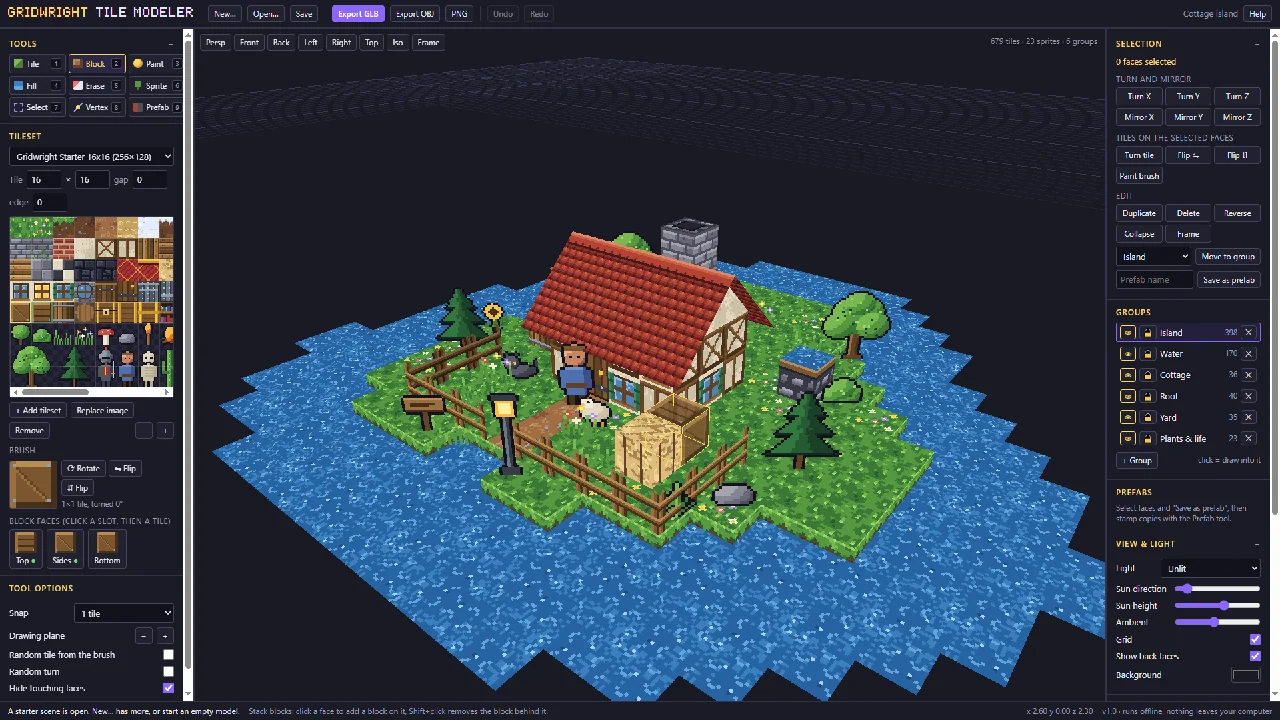
If you need a Crocotile 3D alternative that runs in a browser, Gridwright's Tile Modeler builds low-poly 3D models and levels out of pixel art tiles: draw tiles on any plane, stack blocks, drag corners into slopes and roofs, add sprites that turn to the camera, and export GLB, glTF or OBJ. Crocotile 3D is $29.99 for one desktop app, and Gridwright gives you the Tile Modeler with 30 more tools and 129 asset packs, tilesets included, for $17 a month.
This page shows what you get with each, why Gridwright is the better deal for a 2D or PSX-style indie game, and what a year of each route costs. Crocotile 3D's price and demo terms come from its own site and its Steam page, read on 14 November 2026.
Crocotile 3D alternative: the two side by side
| Crocotile 3D | Gridwright | |
|---|---|---|
| Price | $29.99 once per person | $1 for 3 days, then $17 a month |
| Runs on | Desktop app for Windows, macOS and Linux | Your browser, nothing to install |
| Tools in the price | 1 | 31, plus 129 asset packs with 31,588 sprites, tiles and frames |
| Try first | A demo; saving and exporting need a registration code | 3 days for $1 with every tool and up to 10 packs |
Every Gridwright asset pack, made to fit together, and all 31 tools for the fiddly work, with every new release, for $17 a month. Try it in your own game first: 3 days for $1, cancel any time.
Start for $1What Crocotile 3D is
Crocotile 3D is a tile-based 3D modeling app by Alex Hanson-White, for low-poly models and scenes with pixel art textures. It is a desktop app for Windows, macOS and Linux. A registration code costs $29.99 per person from its site, and Steam sells it for $29.99. The free demo lets you try the program, but you can't save or export your work until you enter a code.
What Gridwright's Tile Modeler does
The Tile Modeler works like a tilemap editor in three dimensions, and it runs in your browser. Hover a face to set where you draw. The drawing plane follows the camera, or the facing you pick, and shows its grid, so a floor, then a wall standing on its edge, then a roof is point and click. Shift and drag fills a rectangle.
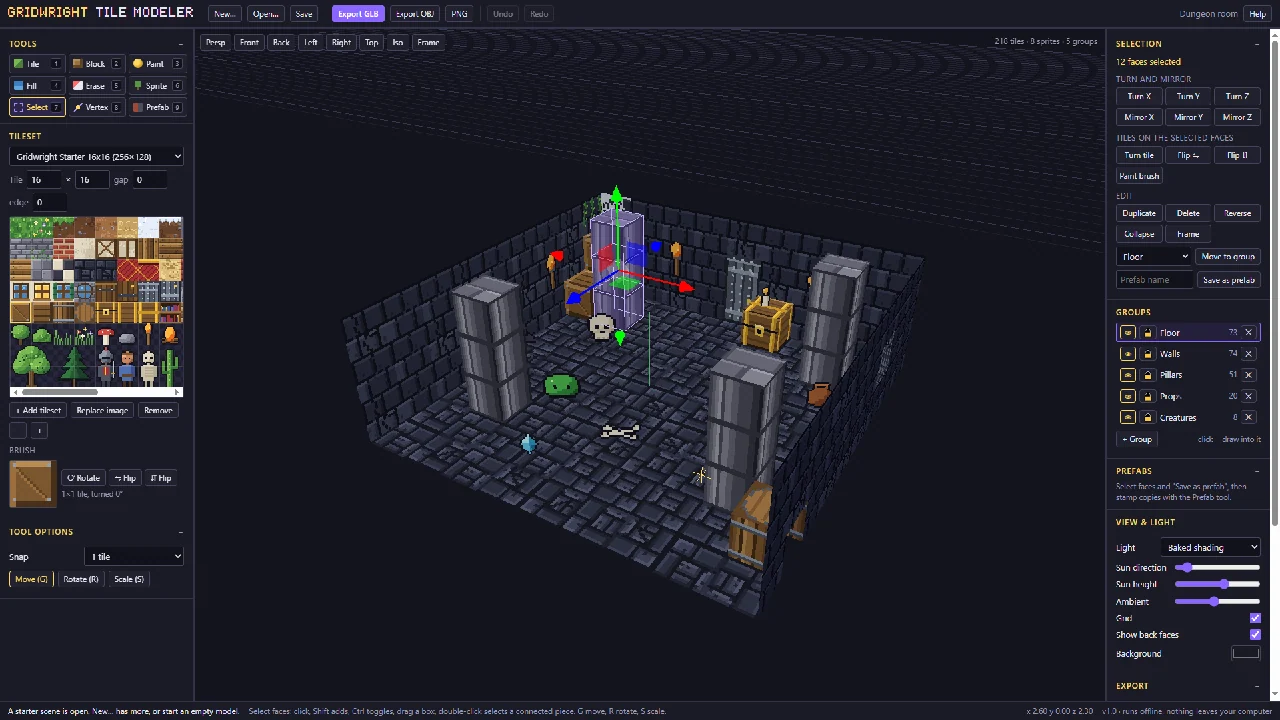
Blocks work like a voxel builder: click a face to put a block on it, with its own top, side and bottom tiles, and the faces hidden between two blocks are dropped by themselves. You paint, fill, erase with a right click, pick a tile with Ctrl and a click, paint with a brush of several tiles that keeps its pattern, or scatter random tiles from your selection for grass, floors and cobbles.
Other tools in it:
- Billboard sprites for trees, characters and props. They turn to the camera in the editor and export as their own nodes.
- Select and transform with a gizmo that snaps: move, rotate, scale, turn and mirror on X, Y and Z, flip and repaint tiles, reverse faces, duplicate.
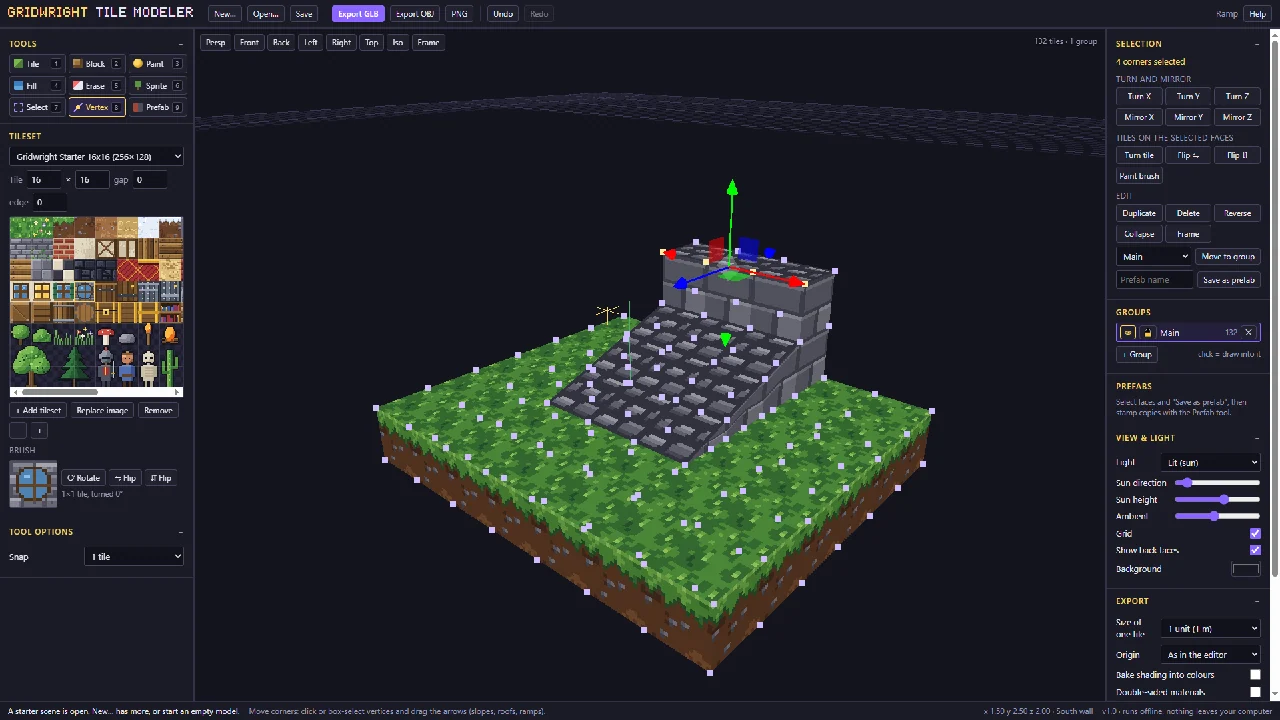
- Vertex mode drags corners into slopes, ramps, roofs and wedges.
- Prefabs and groups, snapping from a whole tile down to one pixel, back faces shown dimmed so nothing goes missing, and 300 steps of undo.
- Views: perspective, orthographic and isometric, unlit, lit or with baked shading.
You can drop in any PNG as a tileset, set the tile size, gap and edge, and use several tilesets in one model. A 16x16 starter tileset of 116 tiles comes with it, made for 3D: grass and dirt tops and sides that meet, stone, brick, plaster and timber walls, roofs with ridges, two-tile doors and windows, crates and chests, and see-through sprites. Three starter scenes, a cottage island, a dungeon room and a watchtower, are there to open and change.
Export is GLB or glTF 2.0, with one mesh per group, one material per tileset and nearest-pixel sampling so pixels stay sharp, see-through pixels cut out and billboards as their own nodes. You choose the tile size (1 metre, or 16 units so a unit is a pixel), the origin, baked shading as vertex colours, and double-sided or unlit materials. OBJ comes zipped with its MTL and PNG for other tools, and a PNG render of the view goes up to 4x. Projects save as one file with the tilesets inside, and your last model comes back when you return. The exported cottage island was tested in Godot 4.7 with every material on nearest filtering.
How to build a 3D level from a 2D tileset
- Open the starter tileset, drop in your own PNG, or take a tileset sheet from the library, and set its tile size.
- Hover a face and draw tiles onto it; stack blocks to build walls and floors.
- Drag vertices into slopes and roofs, and add billboard sprites for trees and characters.
- Export GLB or glTF, choose a tile size of 1 metre or 16 units, and keep baked shading if you want it.
- In Godot 4, drop the GLB into the project and add it to your scene. Materials arrive on nearest filtering, so the pixels stay crisp.
Why Gridwright is the better pick
- Open a tab and build. The Tile Modeler runs in your browser on any computer, with no install and no registration code.
- Tilesets included. Tileset sheets from the packs open in it from the library panel as a new tileset, so the 16x16 top-down, dungeon and village tilesets become 3D levels without exporting anything first. The 116-tile starter tileset and three starter scenes get you going on day one.
- Exports set up for your engine. Nearest-pixel sampling, alpha cut-outs, billboards as their own nodes, and a tile size in metres or in pixels. The exported starter scene was tested in Godot 4.7.
- A PSX look from start to finish. The library has 3D and PSX packs, including PSX Horror Props 3D and PSX Horror Textures, and the Seamless Texture Maker turns photos into tiling textures with a PSX look.
- One price for 31 tools. The Isometric Builder, the Autotile Builder and the 3D Sprite Rotator for 4, 8 or 16 direction sprites all come with it, for $17 a month.
- Every new release included. 136 packs and tools since 2 October 2026, about three a day, each one yours the day it comes out.
For the full list of paid apps Gridwright replaces, read our guide to game dev tools on one subscription.
What a year costs
Crocotile 3D is $29.99 for one job. A game needs more than its 3D levels, and the paid apps for the jobs Gridwright's tools do, plus a year of art, add up. At each maker's list price:
| What you buy | Price |
|---|---|
| Crocotile 3D, 3D from tiles | $29.99 once |
| TexturePacker, sprite sheets | $49.99 once |
| SpriteIlluminator, normal maps | $49.99 once |
| Pixel FX Designer, particle effects (itch.io) | $14.96 once |
| Tilesetter, autotiles | $12.99 once |
| Aseprite, pixel art editor | $19.99 once |
| PixaTool, image to pixel art (list price) | $49.84 once |
| CraftPix monthly membership, art, 12 months | $180.00 |
| Bought separately, year one | $407.75 |
| Gridwright, year one | $1 for 3 days, then $204 for 12 months: $205 |
After two years the separate route comes to $587.75, even with no new update periods bought, against $409 for Gridwright. Bought one by one on our own store, every Gridwright pack and tool would cost $1,403.61.
FAQ
Is there a free Crocotile 3D alternative?
Gridwright starts at $1 for the first 3 days, then $17 a month for all 31 tools and 129 packs. The first 3 days for $1 open every tool, the Tile Modeler included, and up to 10 packs.
Which engines can open Tile Modeler models?
It exports GLB and glTF 2.0, and OBJ with its MTL and PNG, which Godot, Unity, Unreal and Blender open.
Does the Tile Modeler keep pixel art sharp in Godot?
Yes. Exported materials use nearest-pixel sampling, and the exported starter scene was tested in Godot 4.7 with every material on nearest filtering.
Can I use my own tileset?
Yes. Drop in any PNG, set the tile size, gap and edge, and mix several tilesets in one model. Every Gridwright tileset pack works too.
What happens to my models if I cancel?
Nothing more is charged, and the files you downloaded stay licensed for the games you make with them. The tools close at the end of the month you paid for.
Every Gridwright asset pack, made to fit together, and all 31 tools for the fiddly work, with every new release, for $17 a month. Try it in your own game first: 3 days for $1, cancel any time.
Start for $1