 Gridwright
Start for $1
SpriteIlluminator Alternative: 2D Normal Maps in a Browser
A SpriteIlluminator alternative in your browser: Gridwright's Normal Maps tool compared on map types, pixel art lighting, engines and a year of cost.
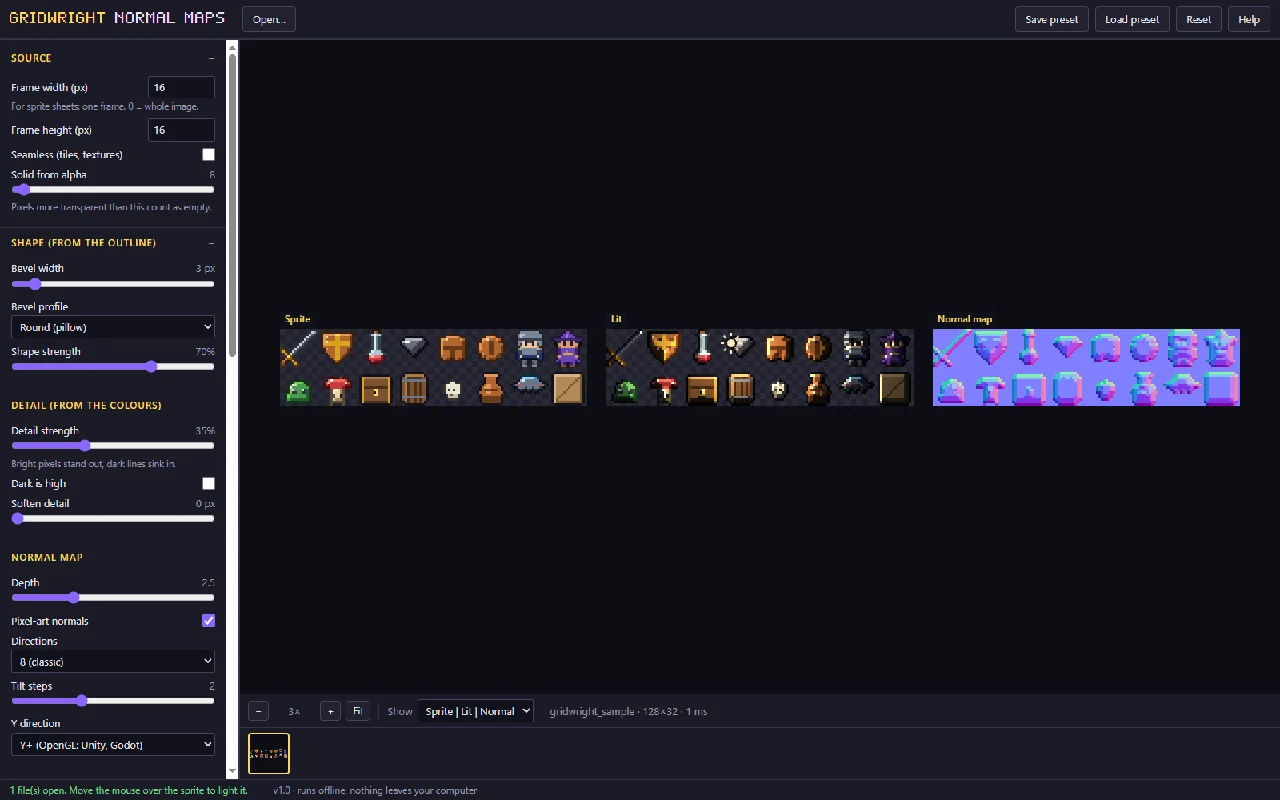
If you are looking for a SpriteIlluminator alternative that runs in your browser, Gridwright's Normal Maps tool makes normal, height, specular and ambient occlusion maps for sprites, sprite sheets and tiles, snaps pixel art normals into clean light bands, and shows the result under a light that follows your mouse. SpriteIlluminator is $49.99 for one desktop app, while Gridwright puts Normal Maps, 30 more tools and 129 asset packs in one $17 monthly subscription.
Here is what you get with each, why Gridwright is the better pick for 2D pixel art games, and what a year of each route costs. SpriteIlluminator's price and licence terms come from CodeAndWeb's own pages on 14 November 2026, in US dollars before tax.
SpriteIlluminator alternative: the two side by side
| SpriteIlluminator | Gridwright | |
|---|---|---|
| Price | $49.99 once, single-user licence with 1 year of updates | $1 for 3 days, then $17 a month |
| Runs on | Desktop app for Windows, macOS and Linux | Your browser, nothing to install |
| Tools in the price | 1 | 31, plus 129 asset packs with 31,588 sprites, tiles and frames |
| Commercial games | Need the paid licence; Essential mode is for non-commercial use | Included in the subscription |
| Try first | 7-day trial | 3 days for $1 with every tool and up to 10 packs |
Every Gridwright asset pack, made to fit together, and all 31 tools for the fiddly work, with every new release, for $17 a month. Try it in your own game first: 3 days for $1, cancel any time.
Start for $1What SpriteIlluminator is
SpriteIlluminator is CodeAndWeb's normal map editor for 2D dynamic lighting, from the company behind TexturePacker. It is a desktop app for Windows, macOS and Linux, sold as a single-user licence: $49.99 with a year of updates, or $129.00 with lifetime updates. After a 7-day trial, its Essential mode is for non-commercial use only, so a commercial game needs the paid licence.
What Gridwright's Normal Maps tool does
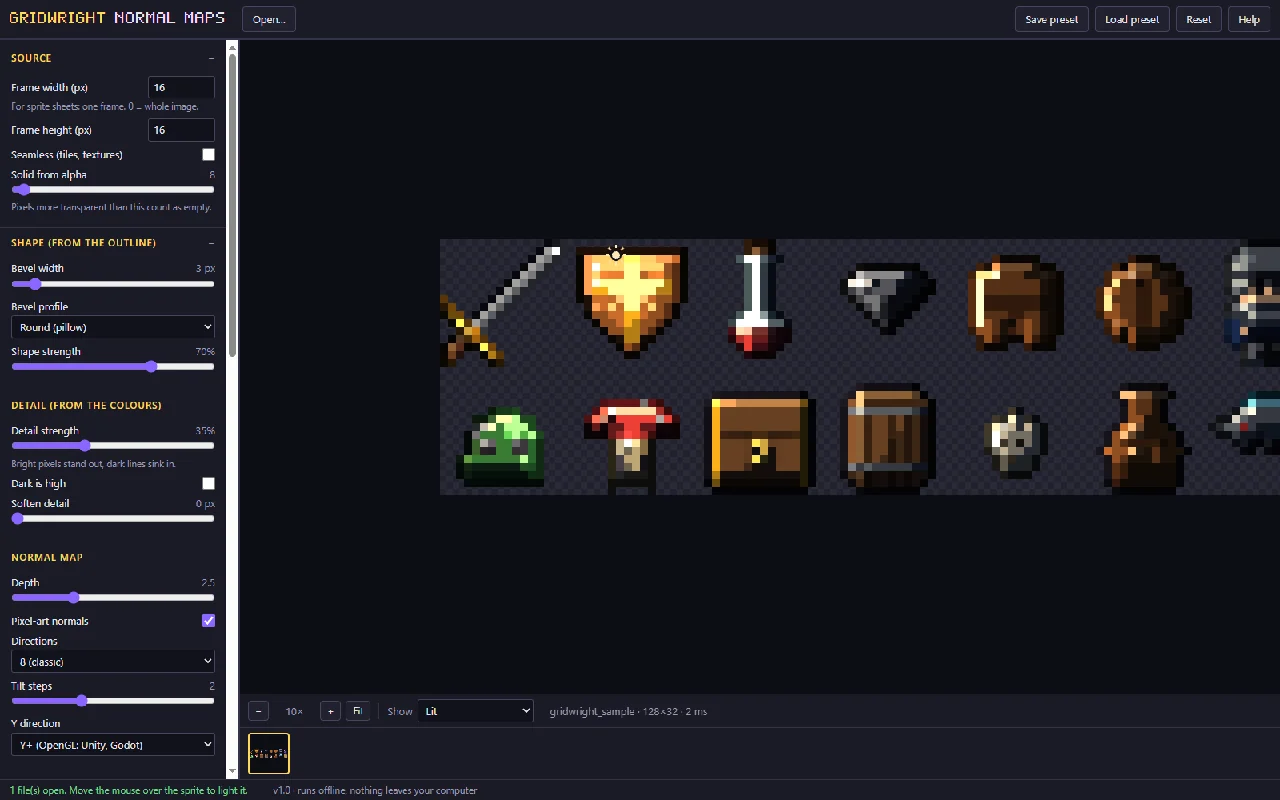
Normal Maps makes four maps for a sprite, a sprite sheet or a tileset: a normal map, a height map, a specular map and an ambient occlusion map. The shape comes from the outline, with a bevel width and four bevel profiles, and the surface detail comes from the colours. A light follows your mouse over the preview, so you tune the bevel and the detail while you watch the result.
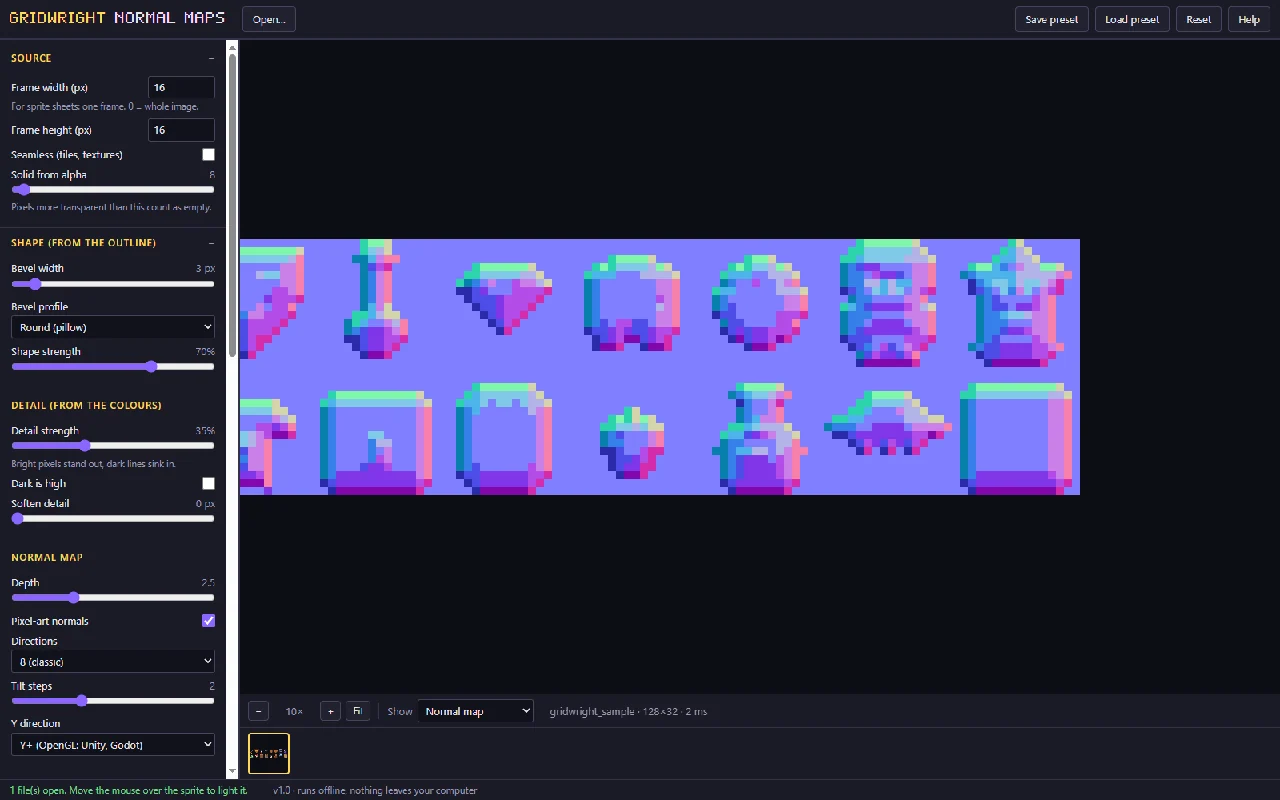
It is made for pixel art in a few specific ways:
- Pixel art normals. With this setting on, as it is when the tool opens, every pixel snaps to 4, 8 or 16 directions and 1 to 4 tilt steps, so light falls across the sprite in clean bands instead of a soft gradient that looks out of place on a 16x16 character. Switch it off for smooth normals.
- Pixel-exact preview. The preview lights one value per pixel, and optional cel-shaded bands show how a toon light will look.
- Sheets done right. You type the frame size, any size and any number of frames, and no bevel bleeds into the next frame.
- Tiles that still tile. Edges wrap inside each frame, so the maps of a tileset tile the same way the tiles do.
You choose Y+ normals (OpenGL, the convention Unity and Godot use) or Y- (DirectX). Batch work is built in: open many files and save every map of every file in one ZIP, with your own file endings such as _n, _h, _s and _ao. If you painted a normal map by hand in another program, name it like the sprite plus _n and the tool lights it in the same preview. Settings save to a preset file you can share with your team. It also saves a lit GIF with the light circling the sprite, ready for a devlog or a store page.
How to make normal maps for a sprite sheet
- Open a sprite, a sprite sheet or a tileset in Normal Maps, or take one straight from the library, and set the frame size.
- Set the bevel width, the bevel profile and the detail while the light follows your mouse.
- Keep pixel art normals on for crisp light bands, and pick Y+ for Godot and Unity or Y- for DirectX.
- Save the normal, height, specular and occlusion maps, every file's maps in one ZIP, and a lit GIF for your devlog.
Using the maps in Godot 4 and Unity
Both engines light normal-mapped sprites with their own 2D lights. In Godot 4 a sprite's texture can be a CanvasTexture that holds the colour picture, the normal map and the specular map, and a PointLight2D or DirectionalLight2D then lights it. In Unity's URP 2D renderer the normal map is added as a secondary texture of the sprite, named _NormalMap, and a Light 2D with normal maps turned on uses it. The tool's own help walks through both. The height map is there for shaders that need depth, and the occlusion map darkens creases that a light shouldn't reach.
Why Gridwright is the better pick
- Made for pixel art. Normals that snap into clean light bands, a preview lit one value per pixel, sheets handled frame by frame and tilesets that keep tiling. Smooth normals are one switch away when you want them.
- Four maps in one pass. Normal, height, specular and occlusion maps come out together, for a single sprite or a whole folder in one ZIP.
- Nothing to install. It runs in your browser on any computer, and your sprites never leave it.
- A whole library to light. Every one of the 129 packs opens in the tools, so you can light a tileset or a character sheet from the library straight away instead of drawing a test sprite first.
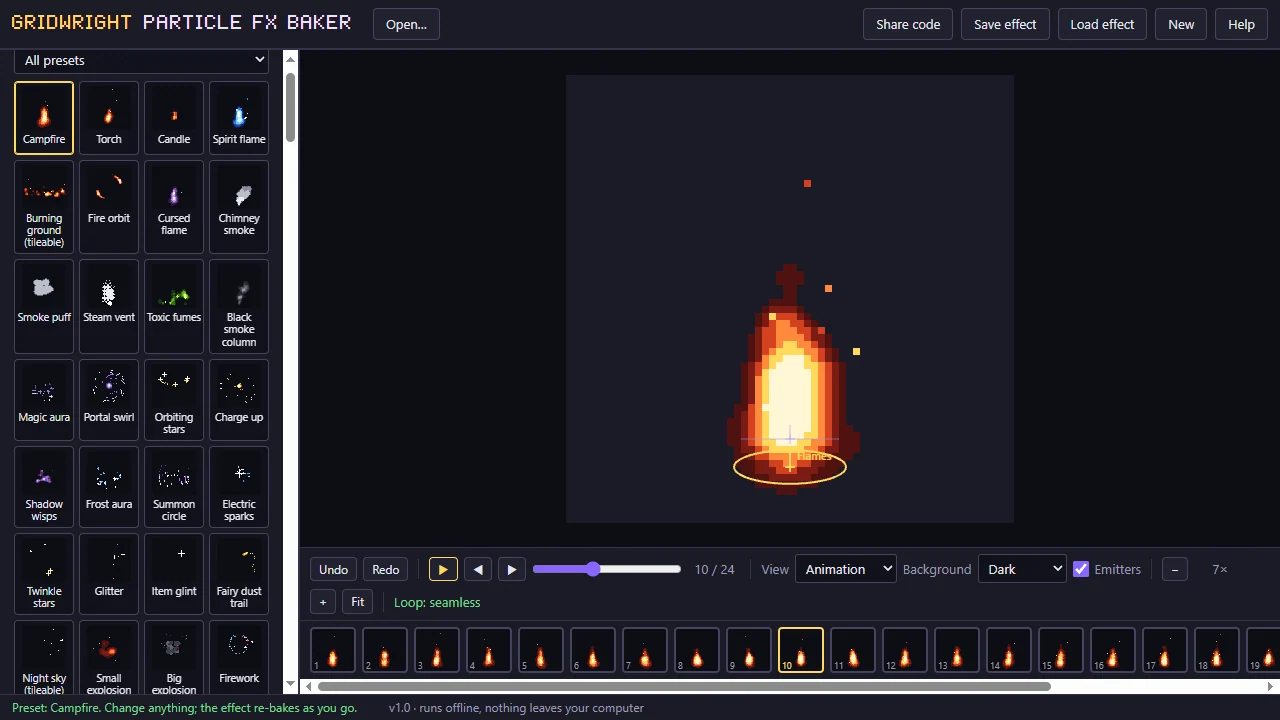
- One price for 31 tools. Next to Normal Maps sit the Particle FX Baker for pixel art fire, smoke and magic, the CRT Filter for retro screenshots, and tools for maps, tiles, sprites, sound and setup, all for $17 a month.
- Commercial games included. The Gridwright licence covers free and commercial games from day one.
- Every new release included. 136 packs and tools since 2 October 2026, about three a day, each one yours the day it comes out.
The rest of the kit
The other tools cover maps and tiles (Autotile Builder, Tile Modeler, Isometric Builder) and sprite work (Sprite Sheet Maker, Pixelator, Sprite Outline Adder). The 129 packs hold 31,588 sprites, tiles and frames; every sheet is a PNG with a JSON map, 44 packs ship Godot files, and others carry files for Unity, Tiled, RPG Maker, GameMaker, Ren'Py, Construct or Roblox. For the full list of paid apps Gridwright replaces, see our guide to game dev tools on one subscription.
What a year costs
SpriteIlluminator is $49.99 for normal maps alone. The paid apps for the jobs Gridwright's tools do, plus a year of art, at each maker's list price:
| What you buy | Price |
|---|---|
| SpriteIlluminator, normal maps | $49.99 once |
| TexturePacker, sprite sheets | $49.99 once |
| Crocotile 3D, 3D from tiles | $29.99 once |
| Pixel FX Designer, particle effects (itch.io) | $14.96 once |
| Tilesetter, autotiles | $12.99 once |
| Aseprite, pixel art editor | $19.99 once |
| PixaTool, image to pixel art (list price) | $49.84 once |
| CraftPix monthly membership, art, 12 months | $180.00 |
| Bought separately, year one | $407.75 |
| Gridwright, year one | $1 for 3 days, then $204 for 12 months: $205 |
After two years the separate route comes to $587.75, even with no new update periods bought, against $409 for Gridwright. Bought one by one on our own store, every Gridwright pack and tool would cost $1,403.61.
FAQ
Is there a free SpriteIlluminator alternative?
Gridwright starts at $1 for the first 3 days, then $17 a month for all 31 tools and 129 packs. The first 3 days for $1 open every tool, Normal Maps included, and up to 10 packs.
Does Gridwright's tool make normal maps for whole sprite sheets?
Yes. Type the frame size and it treats every frame on its own, so a bevel never runs into the next frame. Tiles keep tiling, because edges wrap inside each frame.
Which normal map format do Godot and Unity need?
Both use Y+ normals, the OpenGL convention, and the tool saves Y+ maps for them. Pick Y- if your engine or shader expects DirectX normals.
Can I preview a normal map I painted myself?
Yes. Name it like the sprite plus _n and the tool lights it in the same preview as the maps it makes.
Can I use the maps in commercial games?
Yes. The Gridwright licence covers what you make with the tools in personal and commercial projects. What you can't do is resell or share the raw assets from the packs.
Every Gridwright asset pack, made to fit together, and all 31 tools for the fiddly work, with every new release, for $17 a month. Try it in your own game first: 3 days for $1, cancel any time.
Start for $1